
Free wedding seating chart template
Download an editable seating chart for Excel or Google Sheets. Give each guest a table, then use the same list to make a by-table display or an alphabetical lookup.
Download seating chart template (CSV)
The CSV includes 16 fictional guests so you can see how it works. Replace them with your own names and keep one guest per row. In Google Sheets, use File → Import to open the CSV.
Worked example: 16 guests at four tables
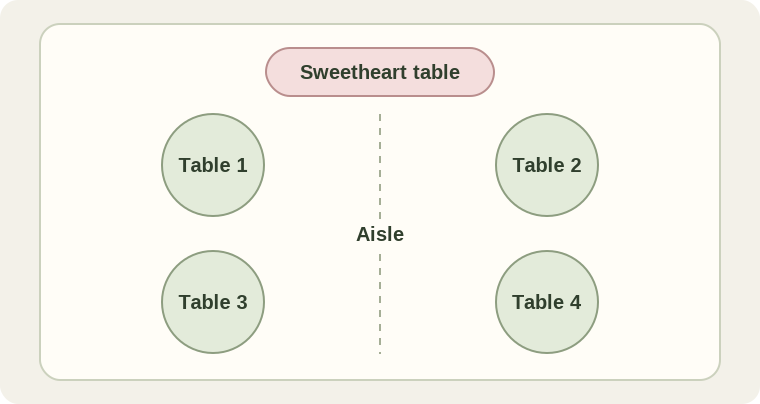
Seat four guests at each of four tables. If your venue confirms six chairs per table, you have 24 guest seats and eight spare places. Keep the couple’s sweetheart table separate so its seats don’t inflate the guest capacity.
| Reception table | Guests | Seats used |
|---|---|---|
| Table 1 · Family | Amelia Bennett, Oliver Bennett, Grace Chen, Mia Chen | 4 of 6 |
| Table 2 · Friends | Jordan Blake, Priya Desai, Sam Rivera, Sophie Williams | 4 of 6 |
| Table 3 · Family | Elena Cruz, Noah Martin, Luca Rossi, Ava Rossi | 4 of 6 |
| Table 4 · Friends | Ari Bell, Drew Hall, Taylor Kim, Jamie Patel | 4 of 6 |
Two ways to display the same seating plan
By table: group names under each table number, as above. This works well when guests expect to look for their family or group.
Alphabetically: sort by display name and write the table number next to each name. This is easier to scan when guests don’t know who else is at their table. Use a consistent first-name or surname order and proof the final list.
| Guest | Table |
|---|---|
| Amelia Bennett | Table 1 |
| Ari Bell | Table 4 |
| Ava Rossi | Table 3 |
| Drew Hall | Table 4 |
View a separate printable seating chart sample (PDF) or compare both display formats. For different room layouts, see three wedding seating chart ideas.
Turn the spreadsheet into a visual table plan
- Count confirmed guests and use the wedding table calculator to check capacity.
- Import names into the free wedding seating chart maker. Create your tables and assign guests there; the spreadsheet’s Table column is a reference, not an automatic assignment import.
- Check spelling and confirm every attending guest has a table before sharing or printing. Keep private notes and dietary details out of the guest-facing chart.
Still collecting RSVPs? Start with the wedding guest list spreadsheet for attendance and meal choices.